1. 일단 Apple에서 .p8키 파일을 받아야합니다.
https://appstoreconnect.apple.com/
https://appstoreconnect.apple.com/
appstoreconnect.apple.com
위의 주소로 가서
사용자 및 액세스 > 통합(개인 일 경우 여기로 가야함) > App Store Connect API
액세스 요청
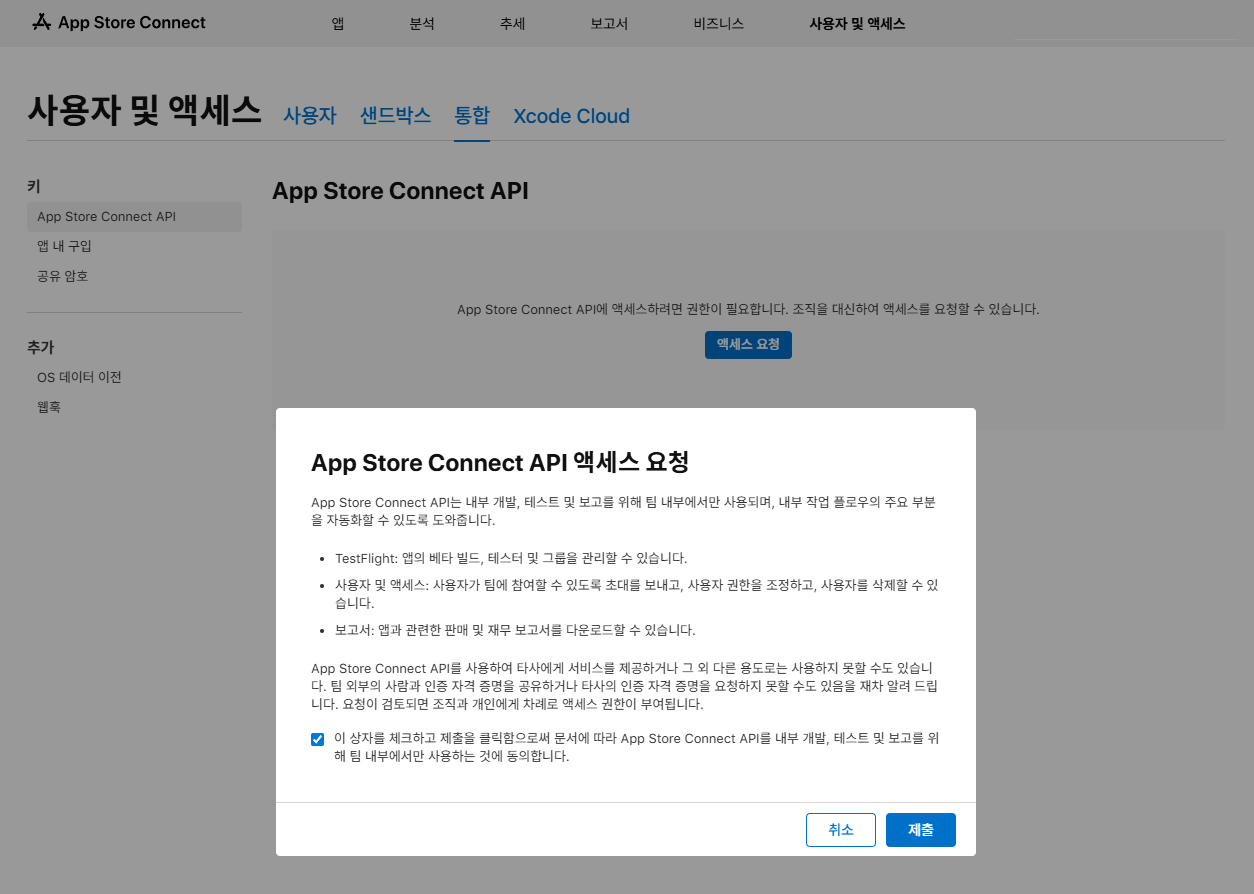
보통 보안을 위해 전체 API키 생성보다는 보안상 IAP 전용키를 만드는것이 좋다고합니다.
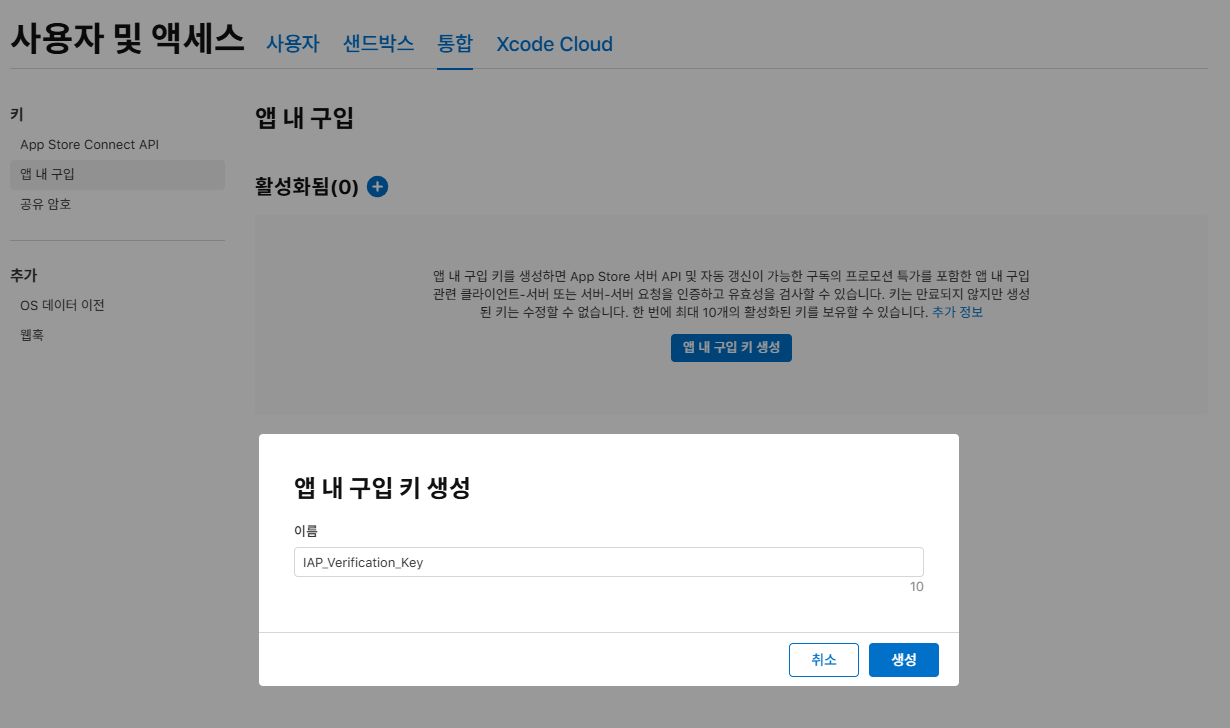
따라서 앱 내 구매 탭으로 이동해 여기서 key을 생성해 줍니다.
파일 다운로드 전 체크!
- Issuer ID: 액세스 요청 후 화면 상단에 나타나는 값입니다.
- Key ID: 키를 생성하면 목록에 나타나는 10자리 값입니다.
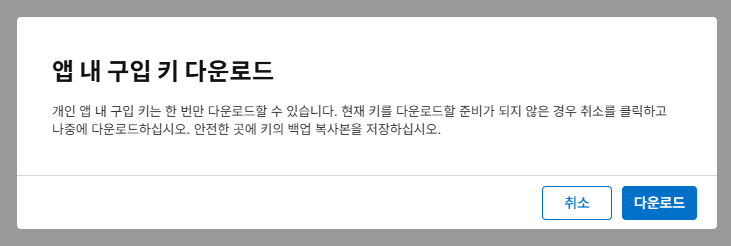
- 다운로드: .p8 파일은 한 번만 다운로드 가능하니 꼭 PC에 잘 보관해야합니다.
2. 프로젝트 준비 (NuGet 패키지)
// 최신버전
dotnet add package System.IdentityModel.Tokens.Jwt

// 오래된 레거시
dotnet add package Microsoft.IdentityModel.JsonWebTokens
프로젝트 설정(csproj)에서 보시면 설치된것을 확인할 수있습니다.
    <ItemGroup>
      <PackageReference Include="FirebaseAdmin" Version="3.1.0" />
      <PackageReference Include="Google.Apis.AndroidPublisher.v3" Version="1.73.0.4052" />
      <PackageReference Include="Pomelo.EntityFrameworkCore.MySql" Version="8.0.3" />
      <PackageReference Include="System.IdentityModel.Tokens.Jwt" Version="8.16.0" />
    </ItemGroup>
3. 애플 IAP 인증
(AppleIapVerification.cs에서 애플 인증만 관리, IapVerificationFacade.cs에서 인증결과를 통해 중복체크)
코드 사용흐름
DAO → IapVerificationFacade.cs (Apple 인증 요청) → AppleIapVerification.cs (Apple 인증) → IapVerificationFacade.cs (결과 확인 후 중복체크) → DAO (Apple 인증 결과받기)
AppleIapVerification.cs
using System.IdentityModel.Tokens.Jwt;
using System.Net.Http.Headers;
using System.Security.Cryptography;
using System.Text.Json;
using Microsoft.IdentityModel.JsonWebTokens;
using Microsoft.IdentityModel.Tokens;

namespace EatLiveStream.Configurations;

public class AppleIapVerification
{
    private static IHttpClientFactory _httpClientFactory = null!;

    private static string _privateKeyContent = null!;
    private const string KeyId = "your keyId";
    private const string IssuerId = "your issuerId";
    private const string BundleId = "your bundleId";
    private static string _baseUrl = null!;

    private const string Bearer = "Bearer";
    private const string ProductId = "productId";
    private const string PurchaseDate = "purchaseDate";
    private const string TransactionId = "transactionId";
    private const string RevocationDate = "revocationDate";
    private const string SignedTransactionInfo = "signedTransactionInfo";

    private const char LeftBrace = '{';

    public AppleIapVerification(IHttpClientFactory httpClientFactory)
    {
        _httpClientFactory = httpClientFactory;
    }

    public static void Initialize(string serviceConfigPath, string baseUrl, IHttpClientFactory httpClientFactory)
    {
        _privateKeyContent = File.ReadAllText(serviceConfigPath);
        _baseUrl = baseUrl;
        _httpClientFactory = httpClientFactory;

        Console.WriteLine("Apple IAP SDK initialized successfully.");
    }

    /// <summary>
    /// Apple API 호출을 위한 JWT 토큰 생성
    /// </summary>
    private static string GenerateAppleAppStoreJwt()
    {
        // ECDsa 객체는 사용 후 처리가 필요하므로 using 사용
        using ECDsa ecdsa = ECDsa.Create();
        ecdsa.ImportFromPem(_privateKeyContent);

        ECDsaSecurityKey securityKey = new ECDsaSecurityKey(ecdsa);
        SigningCredentials credentials = new SigningCredentials(securityKey, SecurityAlgorithms.EcdsaSha256) { CryptoProviderFactory = new CryptoProviderFactory { CacheSignatureProviders = false } };

        JwtHeader header = new JwtHeader(credentials)
        {
            ["kid"] = KeyId
        };

        JwtPayload payload = new JwtPayload
        {
            { "iss", IssuerId },
            { "iat", DateTimeOffset.UtcNow.ToUnixTimeSeconds() },
            { "exp", DateTimeOffset.UtcNow.AddMinutes(20).ToUnixTimeSeconds() },
            { "aud", "appstoreconnect-v1" },
            { "bid", BundleId }
        };

        JwtSecurityToken token = new JwtSecurityToken(header, payload);
        return new JwtSecurityTokenHandler().WriteToken(token);
    }

    public static async Task<(bool, string)> VerifyProductsPurchaseAsync(string transactionId)
    {
        string? signedData = await GetTransactionInfoAsync(transactionId);
        if (string.IsNullOrEmpty(signedData))
        {
            Console.WriteLine("Failed to get data from Apple.");
            return (false, string.Empty);
        }

        (string productId, string transactionId) result = ProcessTransactionInfo(signedData);

        if (!string.IsNullOrEmpty(result.transactionId))
        {
            return (true, result.transactionId);
        }

        return (false, string.Empty);
    }

    /// <summary>
    /// 트랜잭션 정보 조회 (Sandbox/Production 구분)
    /// </summary>
    private static async Task<string?> GetTransactionInfoAsync(string transactionId)
    {
        string jwtToken = GenerateAppleAppStoreJwt();

        HttpClient client = _httpClientFactory.CreateClient();
        client.DefaultRequestHeaders.Authorization = new AuthenticationHeaderValue(Bearer, jwtToken);

        // Sandbox 여부에 따른 URL 분기
        string url = $"{_baseUrl}/inApps/v1/transactions/{transactionId}";

        try
        {
            HttpResponseMessage response = await client.GetAsync(url);

            if (response.IsSuccessStatusCode)
            {
                return await response.Content.ReadAsStringAsync();
            }

            // 에러 로깅이 필요할 경우 여기서 처리 (ex: 401 Unauthorized 시 키/ID 확인 필요)
            return null;
        }
        catch (Exception e)
        {
            Console.WriteLine($"Error in GetTransactionInfoAsync: {e}");
            return null;
        }
    }

    private static (string, string) ProcessTransactionInfo(string signedTransactionInfo)
    {
        string jwsToken = signedTransactionInfo;

        // If the response is in JSON object form ({}), extract only the 'signedTransactionInfo' value.
        try
        {
            // If the input is not in JSON format, JsonException will be thrown here and handled by the catch block.
            using JsonDocument doc = JsonDocument.Parse(signedTransactionInfo);

            if (doc.RootElement.TryGetProperty(SignedTransactionInfo, out JsonElement signedElement))
            {
                jwsToken = signedElement.GetString() ?? signedTransactionInfo;
            }
        }
        catch (JsonException) { /* Use the original value if parsing fails */ }

        // Parse the raw token string using the JWT handler.
        JsonWebTokenHandler handler = new JsonWebTokenHandler();
        JsonWebToken jwtToken = handler.ReadJsonWebToken(jwsToken.Trim());

        // Extract payment information from the Payload (using explicit types).
        // If TryGetPayloadValue is not supported in your version, use GetPayloadValue instead.
        string productId = jwtToken.GetPayloadValue<string>(ProductId);
        string transactionId = jwtToken.GetPayloadValue<string>(TransactionId);

        // Additional information can be extracted as shown below.
        // long purchaseDate = jwtToken.GetPayloadValue<long>(PurchaseDate);
        // long? revocationDate = jwtToken.GetPayloadValue<long?>(RevocationDate);

        return (productId, transactionId);
    }
}
IapVerificationFacade.cs
using EatLiveStream.Configurations;
using Microsoft.EntityFrameworkCore;

namespace EatLiveStream.Services.IAP;

public class IapVerificationFacade
{
    private readonly ServerDbContext _dbContext;

    public IapVerificationFacade(ServerDbContext dbContext)
    {
        _dbContext = dbContext;
    }

    public async Task<(bool, string)> IapVerification
        (IapPlatform iapPlatform, string productId, string receiptIdentity, string dbTable)
    {
        // Google: orderId
        // Apple: originalTransactionId (https://developer.apple.com/documentation/appstoreserverapi/originaltransactionid)
        (bool isVerified, string orderId) = (false, null!);
        switch (iapPlatform)
        {
            case IapPlatform.Google:
                (isVerified, orderId) = await GoogleIapVerification.VerifyProductsPurchaseAsync(productId, receiptIdentity);
                break;
            case IapPlatform.IOS:
                (isVerified, orderId) = await AppleIapVerification.VerifyProductsPurchaseAsync(receiptIdentity);
                break;
        }

        if(!isVerified) { return (false, null!); }
        string sql = $"SELECT EXISTS (SELECT 1 FROM {dbTable} WHERE orderId = @p0) AS Value";
        int exists = await _dbContext.Database.SqlQueryRaw<int>(sql, orderId).SingleAsync();

        // If it exists in the DB, the order has already been applied
        if(exists > 0) { return (false, null!); }

        return (true, orderId);
    }

    public async Task<bool> IapConsume(IapPlatform iapPlatform, string productId, string verificationToken)
    {
        // Google: orderId
        // Apple: originalTransactionId (https://developer.apple.com/documentation/appstoreserverapi/originaltransactionid)
        switch (iapPlatform)
        {
            case IapPlatform.Google:
                return await GoogleIapVerification.ConsumeProductsAsync(productId, verificationToken!);
            case IapPlatform.IOS:
                return true;
            default:
                return false;
        }
    }

    public async Task<bool> IapAcknowledge(IapPlatform iapPlatform, string productId, string verificationToken)
    {
        // Google: orderId
        // Apple: originalTransactionId (https://developer.apple.com/documentation/appstoreserverapi/originaltransactionid)
        switch (iapPlatform)
        {
            case IapPlatform.Google:
                return await GoogleIapVerification.AcknowledgeNonConsumeAsync(productId, verificationToken);
            case IapPlatform.IOS:
                return true;
            default:
                return false;
        }
    }
}
4. 인증을 사용하기 위한 appsetting.json 및 Program.cs설정
appsettings.json
{
```

  "Iap": {
    "GoogleIapServiceConfigPath": "yummytteokbokki-4c5eb-032e9efbd9ba.json",
    "AppleIapServiceConfigPath": "SubscriptionKey_D89VVVKTA8.p8",
    "AppleBaseUrl": "https://api.storekit.itunes.apple.com"
    // Sandbox일경우
    // "AppleBaseUrl": "https://api.storekit-sandbox.itunes.apple.com"
  },

 ```
 }
Program.cs
(Apple 서버와 통신을 위한 HttpClientFactory가 필요합니다)
var builder = WebApplication.CreateBuilder(args);

```

// Apple IAP
string? appleIapConfigPath = builder.Configuration["Iap:AppleIapServiceConfigPath"];
if (string.IsNullOrEmpty(appleIapConfigPath))
{
    throw new InvalidOperationException("Apple Iap service account path is not configured. Please add 'Iap:AppleIapServiceConfigPath' to your configuration.");
}
string? appleIapBaseUrl = builder.Configuration["Iap:AppleBaseUrl"];
if (string.IsNullOrEmpty(appleIapBaseUrl))
{
    throw new InvalidOperationException("Apple Iap service base url path is not configured. Please add 'Iap:AppleBaseUrl' to your configuration.");
}
string absoluteAppleIapConfigPath = Path.Combine(builder.Environment.ContentRootPath, appleIapConfigPath);
// --- End of IAP SDK Configuration Path Setup ---

// Add services to the container.
// Http Client Setting
builder.Services.AddHttpClient<AppleIapVerification>(client => {
    // Set a timeout of 10 seconds for requests
    client.Timeout = TimeSpan.FromSeconds(10);
});

```


builder.Services.AddControllers();

var app = builder.Build();


```

// Static SDK Initialize Google & Apple
try
{
    // Google IAP Initialize
    GoogleIapVerification.Initialize(absoluteGoogleIapConfigPath);
    // Apple IAP Initialize
    using IServiceScope scope = app.Services.CreateScope();
    IHttpClientFactory httpClientFactory = scope.ServiceProvider.GetRequiredService<IHttpClientFactory>();
    AppleIapVerification.Initialize(absoluteAppleIapConfigPath, appleIapBaseUrl, httpClientFactory);
}
catch (Exception e)
{
    throw new InvalidOperationException($"Failed to initialize IAP SDKs: {e.Message}", e);
}